
Cet article est aussi disponible en français
This article was written over four years ago, then updated on 28/10/2026.
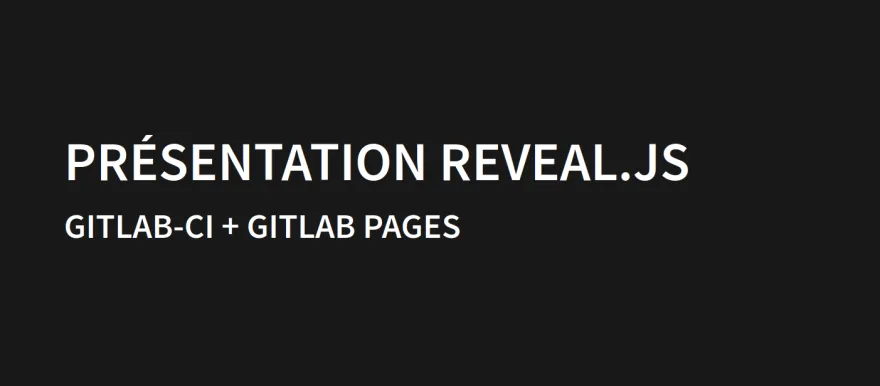
As often when I start a new training course, I spend (waste?) time changing my process for managing my slides. After a Drupal site that let me manage my course material, I tried a new approach, even faster.
I now write my slides directly in a markdown file, which is then interpreted directly by reveal.js and published on GitLab Pages. This approach is entirely free, very fast, and quite handy when it comes to reusing and updating a presentation. Obviously it's complete overkill compared to a simple PowerPoint or Google Slides presentation, but hey... ¯\_(ツ)_/¯
How does it work?
First thing: create a "group" on GitLab. I called mine "Formations Kgaut.NET": https://gitlab.com/formations-kgaut. I made it public, but it also works if it's private.
The template part
I then created a "template" repository: https://gitlab.com/formations-kgaut/template-reveal-js, which builds a Docker image by fetching the latest version of reveal.js, adds my own CSS file and publishes a Docker image to the GitLab registry: https://gitlab.com/formations-kgaut/template-reveal-js/container_regist…
Here are the various files in this repository.
The Dockerfile that will build the image:
FROM alpine:latest

# Récupération de la dernière version de reveal.js
RUN wget -O reveal.zip https://github.com/hakimel/reveal.js/archive/master.zip

# Extraction de l'archive
RUN unzip reveal.zip -d reveal

# Création d'un dossier public pour stocker notre future présentation
RUN mkdir /public

# Copie des assets nécessaires reveal.js
RUN mv reveal/reveal.js-master/dist /public/
RUN mv reveal/reveal.js-master/plugin /public/

# Copie du fichier index.html modifié (gestion du markdown, et lien vers le fichier css custom)
COPY ./index.html /public/

# Copie des styles custom
RUN mkdir /public/custom
COPY ./custom.css /public/custom/
The reveal.js index.html file, modified to handle markdown and link the custom CSS file: https://gitlab.com/formations-kgaut/template-reveal-js/-/blob/main/inde…
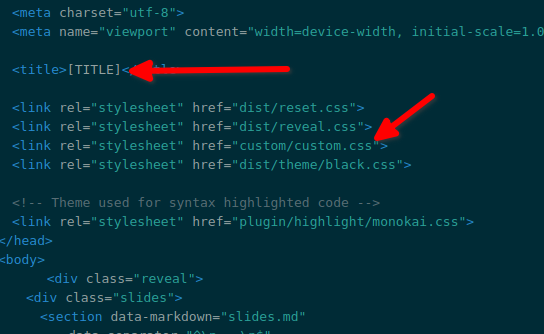
Note:
- the [TITLE] token, which will be replaced by the name of the target presentation's repository
- the link to a custom.css file that lets me override the styles a bit (https://gitlab.com/formations-kgaut/template-reveal-js/-/blob/main/cust…)
The .gitlab-ci.yml file, which builds the image using the Dockerfile and pushes it to the project's registry:
image: docker:latest
services:
- docker:dind

build-image:
  script:
    - docker login -u gitlab-ci-token -p $CI_JOB_TOKEN $CI_REGISTRY
    - docker build -t $CI_REGISTRY_IMAGE .
    - docker push $CI_REGISTRY_IMAGE
All the variables are predefined by GitLab, there's nothing to configure.
Once all of this is pushed to your repository, you can check that the CI ran fine:

You can also check in "Packages & Registries / Container Registry" that the image is there:
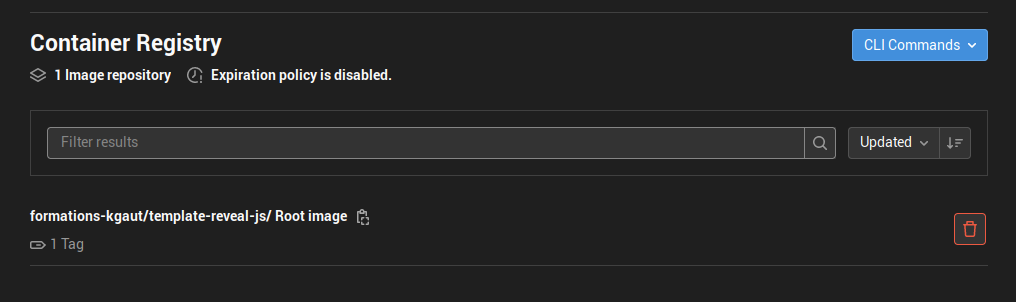
This image will now be used by every presentation we create.
Creating a presentation
Each presentation is a repository, with at least two files:
slides.md: a markdown file holding the content of the presentation
.gitlab-ci.yaml: the CI configuration, which fetches the image created earlier, copies the slides.md file, changes the title, then publishes the presentation on GitLab Pages.
The slides.md file (https://gitlab.com/formations-kgaut/poc-presentation/-/blob/main/slides…)
# Présentation Reveal.js
## Gitlab-CI + Gitlab Pages

--

# Une slide verticale

Juste par exemple

---

# Comment ça marche ?
1. Un projet template qui intègre reveal js dans une image docker : https://gitlab.com/formations-kgaut/template-reveal-js
2. Un sous projet, comme celui là, qui contient les slides et utilise l'image docker précédemment crée
3. La CI de ce projet publie la présentation automatiquement à chaque modification sur gitlab page.

--

# Intéret ?
- Rédaction de présentation très rapide
- Historique des modifications
- Fork pour réutiliser / faire une nouvelle version de présentation
The slide separators are -- for a vertical slide and --- for a horizontal slide (a new chapter). These separators are defined in the template, on lines 22 and 23: https://gitlab.com/formations-kgaut/template-reveal-js/-/blob/main/inde…
The .gitlab-ci.yaml file
stages:
  - pages

pages:
  image: registry.gitlab.com/formations-kgaut/template-reveal-js:latest
  stage: pages
  script:
    - mv /public public
    - mv slides.md public/slides.md
    - sed -i "s/\[TITLE\]/$CI_PROJECT_TITLE/g" public/index.html
  artifacts:
    paths:
      - public
The image part refers to the image built earlier in the registry; you can find its URL here:
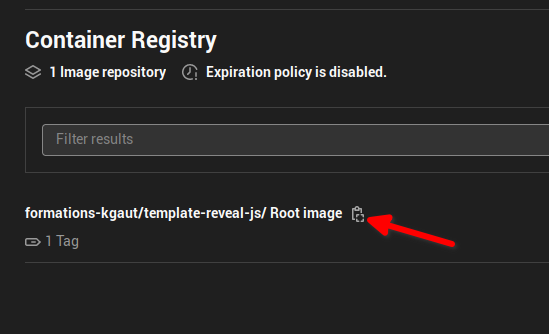
The other commands copy the slides.md file into the image and change the title tag of the HTML file using the repository name.
And the result is published on GitLab Pages. To find the URL of the deployed site, go to "Settings / Pages":
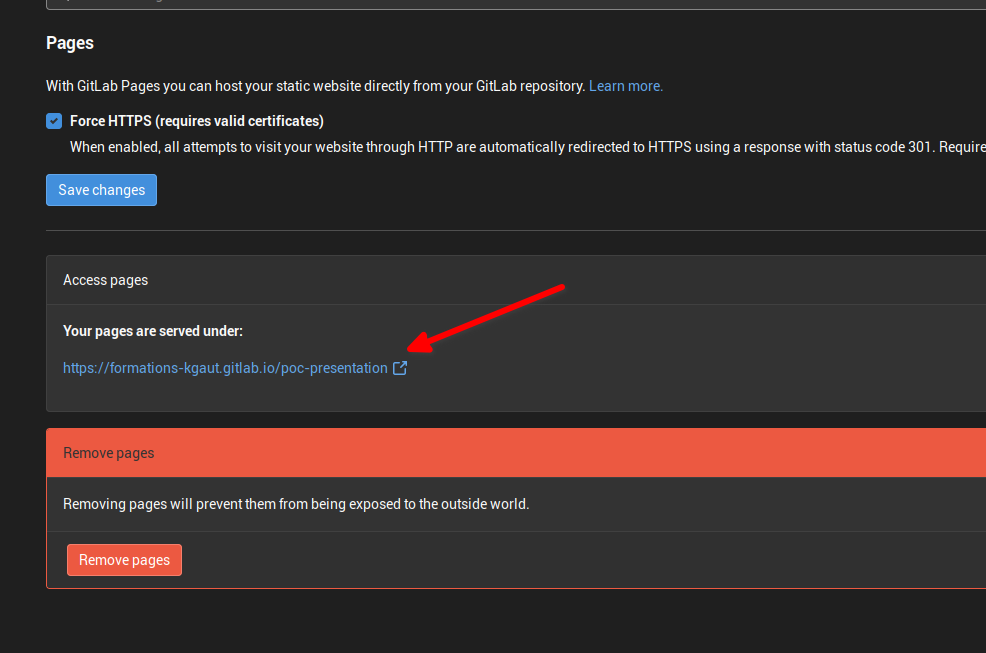
In my case, the presentation is available at: https://formations-kgaut.gitlab.io/poc-presentation. It is freely accessible to everyone because the repository is public; had it been private, only users with access to the repository would be able to access the site.
From then on, whenever a change is made to the slides, the new version of the presentation is deployed. It's extremely fast, usually under a minute.
To sum up
The template repository: https://gitlab.com/formations-kgaut/template-reveal-js
The repository of a sample presentation: https://gitlab.com/formations-kgaut/poc-presentation
The presentation on GitLab Pages: https://formations-kgaut.gitlab.io/poc-presentation/
This way you can create as many presentations as you like, all based on the same image; some can be private and others freely accessible, depending on the repository settings.
To build this, I drew heavily on this post: https://blog.jdriven.com/2020/10/automating-hosting-revealjs-slides-on-…

Written by Kevin Gautreau — freelance PHP/Drupal developer & trainer in Auvergne, France. get in touch
Comments (1)