
Cet article est aussi disponible en français
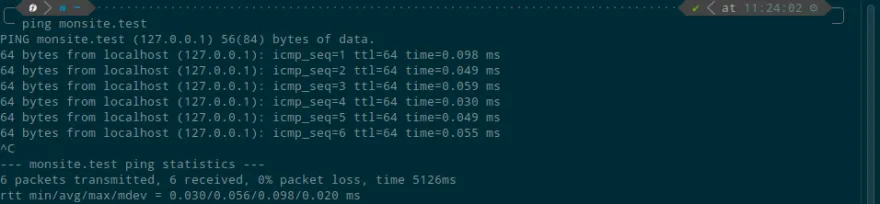
In just a few minutes, you can redirect an entire TLD (for example *.test ) to your machine using dnsmasq.
Installing the software
sudo dnf install dnsmasq -yConfiguration
Edit the /etc/NetworkManager/NetworkManager.conf file to add the line dns=dnsmasq at the end of the [main] section.
sudo vim /etc/NetworkManager/NetworkManager.conf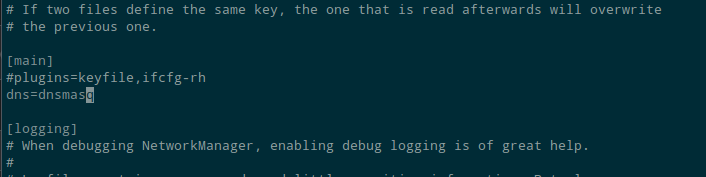
Back up the /etc/resolv.conf file
sudo mv /etc/resolv.conf /etc/resolv.conf.backCopy the NetworkManager one
sudo cp /var/run/NetworkManager/resolv.conf /etc/resolv.confCreate the alias file:
echo 'address=/test/127.0.0.1' | sudo tee /etc/NetworkManager/dnsmasq.d/dot.test-wildcard.confif you want a TLD other than test, change the /test/ part
Restart the services
sudo service dnsmasq restart
sudo systemctl reload NetworkManager
And the test:
ping monsite.test                                                                                             ─╯
PING monsite.test (127.0.0.1) 56(84) bytes of data.
64 bytes from localhost (127.0.0.1): icmp_seq=1 ttl=64 time=0.111 ms
64 bytes from localhost (127.0.0.1): icmp_seq=2 ttl=64 time=0.023 ms
64 bytes from localhost (127.0.0.1): icmp_seq=3 ttl=64 time=0.047 ms

Written by Kevin Gautreau — freelance PHP/Drupal developer & trainer in Auvergne, France. get in touch
Comments (0)