
Cet article est aussi disponible en français
This article was written over four years ago, then updated on 28/10/2026.
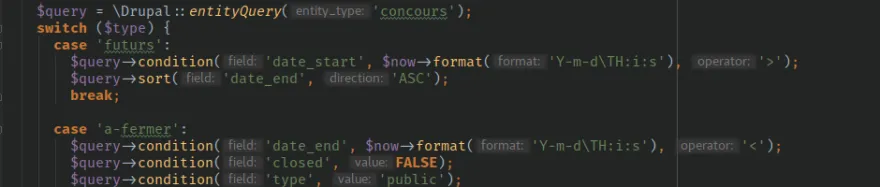
Replacing the Entity Field Query of Drupal 7, Entity Queries let you run queries on our entity types (custom or not) based on their properties or their fields.
They are a good way to write queries, even advanced ones, without having to write mind-bending joins.
A simple example
Fetching and loading all active users.
//We start by giving the entity type we want to query
$query = \Drupal::entityQuery('user');
//We add a condition, here "status = 1" to only fetch active users
$query->condition('status', 1);
//We enable (or not) the entity access check
$query->accessCheck(TRUE);
//We run the query and get the user ids.
$users_ids = $query->execute();
//we load the users in question
$users = User::loadMultiple($users_ids);
A note on access check
Since Drupal 10, queries throw an error if the access check is not explicitly declared, see https://www.drupal.org/node/3201242 .
You need to add a call to the accessCheck method, passing it TRUE or FALSE depending on whether you want to enable the behavior.
Put simply, if you query nodes and add accessCheck(TRUE), only published nodes will be returned, whereas with accessCheck(FALSE) all nodes will be returned.
What can we query?
In Drupal 8, (almost) everything is an entity, so we can query:
- Nodes
- Blocks
- Users
- Menus
- Menu items
- Our custom entity types
- ...
In short, a lot of things!
The entity type is declared when creating the query:
To query users
// Query on users
$query = \Drupal::entityQuery('user');

// Query on nodes
$query = \Drupal::entityQuery('node');

// Query on taxonomy terms
$query = \Drupal::entityQuery('taxonomy_term');
Conditions
$query->condition(champ_ou_propriété, valeur, opérateur);The field used in a condition can be either a property (nid, changed, created, title, name...) or a "field" (field_tags, field_image...)
Example querying nodes of type "produit":
$query = \Drupal::entityQuery('node');
$query->condition('type', 'produit');
By default the operator is: = (equals)
// uid == 1
$query->condition('uid', 1);
but of course you can specify it:
// uid "not equal to" 1
$query->condition('uid', $user->id(), '<>');
You can use IN, for example to fetch and load all users based on an "interest" field that references taxonomy terms:
$interests = [127, 128, 27];
$query = \Drupal::entityQuery('user');
$query->condition('field_interests', $interests, 'IN');
$profils_similaires = $query->execute();

$users = User::loadMultiple($profils_similaires);
With a "LIKE", to check for the same département (the first two digits of a French postal code):
// if $code_postal = "123456"
// field_adresse_zipcode LIKE "12%"
$query->condition('field_adresse_zipcode', substr($code_postal, 0, 2).'%', 'LIKE');
Cleaner, using db_like (\Drupal\Core\Database\Database::getConnection()->escapeLike in Drupal 10), which escapes the value
$query = \Drupal::entityQuery('taxonomy_term');
$query->condition('vid', 'tags');
$query->condition('name', '%' . \Drupal\Core\Database\Database::getConnection()->escapeLike($keyword) . '%', 'like');
$terms = Term::loadMultiple($query->execute());
Checking whether a field is empty or not (is null / is not null)
(As pointed out by Christophe Caron in the comments)
// Check that field_name is filled in:
// Equivalent to where field_name IS NOT NULL
$query->exists('field_name');

// Check that field_name is not filled in:
// Equivalent to where field_name IS NULL
$query->notExists('field_name');
Multiple conditions
You can also add several conditions; here I check that the birth date is between $min_date & $max_date:
$query = \Drupal::entityQuery('user');
$query->condition('field_interests', $interests, 'IN');
$query->condition('field_birthday', $min_date->format('Y-m-d'), '<');
$query->condition('field_birthday', $max_date->format('Y-m-d'), '>');
$profils_similaires = $query->execute();

$users = User::loadMultiple($profils_similaires);
With OR conditions
You can use "OR" logical conditions; here I want to fetch users who share the same interests (field_interests) OR who are manually featured (field_pinned)
$query = \Drupal::entityQuery('user');

$condition_or = $query->orConditionGroup();
$condition_or->condition('field_pinned',1);
$condition_or->condition('field_interests', $interests, 'IN');

$query->condition($condition_or);

$profils_similaires = $query->execute();

$users = User::loadMultiple($profils_similaires);
With OR and AND conditions
You can write somewhat beefier conditions, here: either featured users (field_pinned) OR (users who share the same interests (field_interest) AND who were born after $max_date AND before $min_date:
$query = \Drupal::entityQuery('user');

$condition_or = $query->orConditionGroup();
$condition_or->condition('field_pinned',1);

$condition_and = $query->andConditionGroup();

$condition_and->condition('field_interests', $interests, 'IN');
$condition_and->condition('field_birthday', $min_date->format('Y-m-d'), '<');
$condition_and->condition('field_birthday', $max_date->format('Y-m-d'), '>');

$condition_or->condition($condition_and);

$query->condition($condition_or);

$profils_similaires = $query->execute();

$users = User::loadMultiple($profils_similaires);
Condition on a field of a referenced entity
If your node or entity contains a reference to another entity, you can add a condition on a field of that entity.
Example:
$query = \Drupal::entityQuery('photo');
$query->condition('creator.entity:user.status', 12);
$ids = $query->execute();
For more details on this, see here: https://kgaut.net/snippets/2020/drupal-8-et-drupal-9-entityquery-faire-…
Handling pagination and the number of results
// 20 results without skipping any (0)
$query->range(0, 20);

// 20 results, skipping the first 10 (10)
$query->range(10, 20);
Sorting
// Sort by creation date (ASC by default)
$query->sort('created');
or specifying the direction:
// Sort on field_birthday in ascending order
$query->sort('field_birthday', 'ASC');

// Sort on field_birthday in descending order
$query->sort('field_birthday', 'DESC');
Counting the results
$query = \Drupal::entityQuery('node');
$query->condition('type', 'produit');
$nb_resultats = $query->count()->execute();

Written by Kevin Gautreau — freelance PHP/Drupal developer & trainer in Auvergne, France. get in touch
Comments (11)
Comments
Bravo pour cet article très précis, j'ajouterai :
Vérifier qu'un champ n'est pas vide :
$query->exists('field_name');
Vérifier qu'un champ est vide :
$query->notExists('field_name');
Merci, j'ai ajouté ça à l'article !
Bonjour,
Comment peut-on récupérer la liste complète (sans condition) d'un type d'entité ?
J'ai essayé
Drupal::entityQuery('my_entity_type')->execute();
Mais ça ne me ramène rien.
Pour cela, le plus simple est de faire :
MyEntityType::loadMultiple()
Bonjour,
Merci pour ces exemples très clairs :)
Je me demande par contre comment trier sur deux champs différents . Par exemple : par position (integer) puis par date de creation.
Culture/confiture : le résultat de ->execute() est une array d'id de l'entité (ok) indexé par l'id de la révision si elle est activée, sinon par l'id de l'entité (en cas de count() c'est bien entendu un entier).
https://api.drupal.org/api/drupal/core%21lib%21Drupal%21Core%21Entity%2…
Bonjour, j'ai un champs qui fait référence a un terme de taxonomie de deux valeurs "63, 64" j'aimerais récupérer sois les node contenant 63 ou 64 et ceux qui possèdent les deux à la fois
Bonjour,
Merci pour cet article ! Auriez vous un exemple pour ne sélectionner qu'un seul object? Faire ::load au lieu du loadmultiple en gros, mais je ne suis pas très à l'aise avec les ids retournés. Merci !
Si on sait que notre requête ne retourne qu'un seul élément alors on peut faire :
Bonjour,
J'utilise le module Group de Drupal 8.
J'ai un group société qui peut par exemple contenir des offres d'emplois (un type de contenu personnalisé)
Comment faire pour compter le nombre d'offre d'emploi pour le groupe courrant ?
Cordialement,
Kévin
Hi ! Je bloque actuellement sur une requête et votre tutoriel m'a déjà beaucoup aidé !
Je dois récupérer le prénom et nom d'un utilisateur authentifié pour les passer en objet de mail ... C'est assez bizarre, mais c'est une demande client ^^.. Quand j'utilise votre code et que j'execute un
var_dump($users);
je récupère un tableau énorme. J'ai essayé d'affiner en rentrant des conditions comme
$query->condition('uid', 'User::load(\Drupal::currentUser()->id())');
seulement je n'arrive pas à récupérer la valeur précise d'une colonne .. Auriez-vous une astuce ?
Merci