
Cet article est aussi disponible en français
This article was written over four years ago, then updated on 28/10/2026.
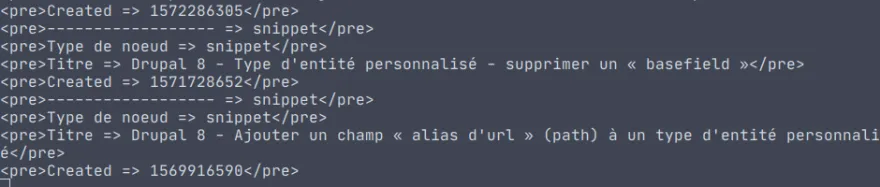
If you develop with Drupal, you may already know the dump, dpm or kint functions (if not, read my quick introduction to kint).
Another very handy but lesser-known function is ddm(), formerly known as dd(), which dumps its parameters to a file instead of displaying them in the page. This makes it very handy in cases where nothing is displayed at all (batch, hook_update, EventSubscriber...)
Note: this function comes from the devel module, so the module must be installed and enabled for the function to be available.
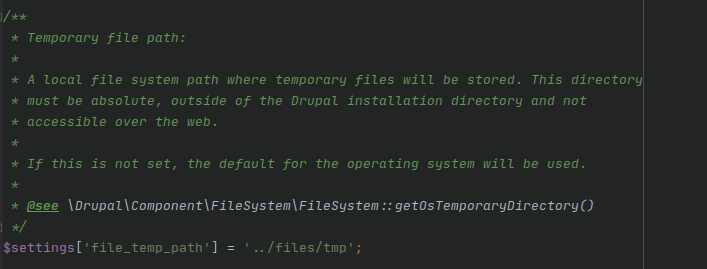
The parameter passed to the function is dumped to the temporary://drupal_debug.txt file; on my site, the temporary:// wrapper is configured to point to the ../files/tmp folder. (Note: this setting is now made directly in Drupal's settings.php file; it used to be in Configuration / Media / File system.)
So I can view the contents of this file directly in a text editor. Bear in mind that arrays and objects are dumped hierarchically, which is handy but can quickly make the file very heavy!
# Dans un de vos fichier php :

ddm($variable);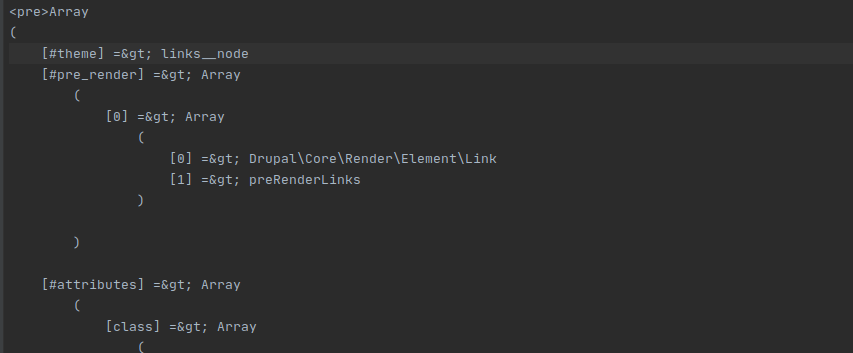
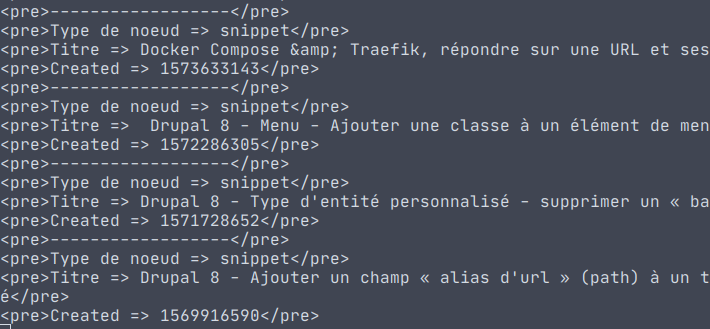
You can also add labels to what you dump, so you don't get lost when dumping several variables:
function kgaut_2020_preprocess_node(array &$variables) {
  /** @var \Drupal\node\Entity\Node $node */
  $node = $variables['elements']['#node'];

  ddm('------------------');
  ddm($node->getType(), 'Type de noeud');
  ddm($node->getTitle(), 'Titre');
  ddm($node->getCreatedTime(), 'Created');
...
}
Finally, with the bash tail command, you can watch what gets dumped live in a terminal, without having to reload the file. The command to run is below:
# Chemin à adapter en fonction de votre organisation :

tail -f /vhosts/kgaut.net/files/tmp/drupal_debug.txt
Obviously, this is no match for a "real" debugger such as Xdebug, but it's better than nothing!

Written by Kevin Gautreau — freelance PHP/Drupal developer & trainer in Auvergne, France. get in touch
Comments (1)
Comments
Merci Kevin pour l'astuce, très utile.
Je me demandais notamment comment récupérer certaines valeurs d'appel ajax sur un form lors d'un événement sur un select ou une case à cochée. Là je penses qu'on peut, non ? Ou il y a plus simple peut-être ?